GPU Resource Management and Model Deployment
Portal
Open Manage platform, then Models to manage deployments. The tenant Models page lists available models. Select By node to see GPU memory and model placement. Colors distinguish deployments, not deployment health.
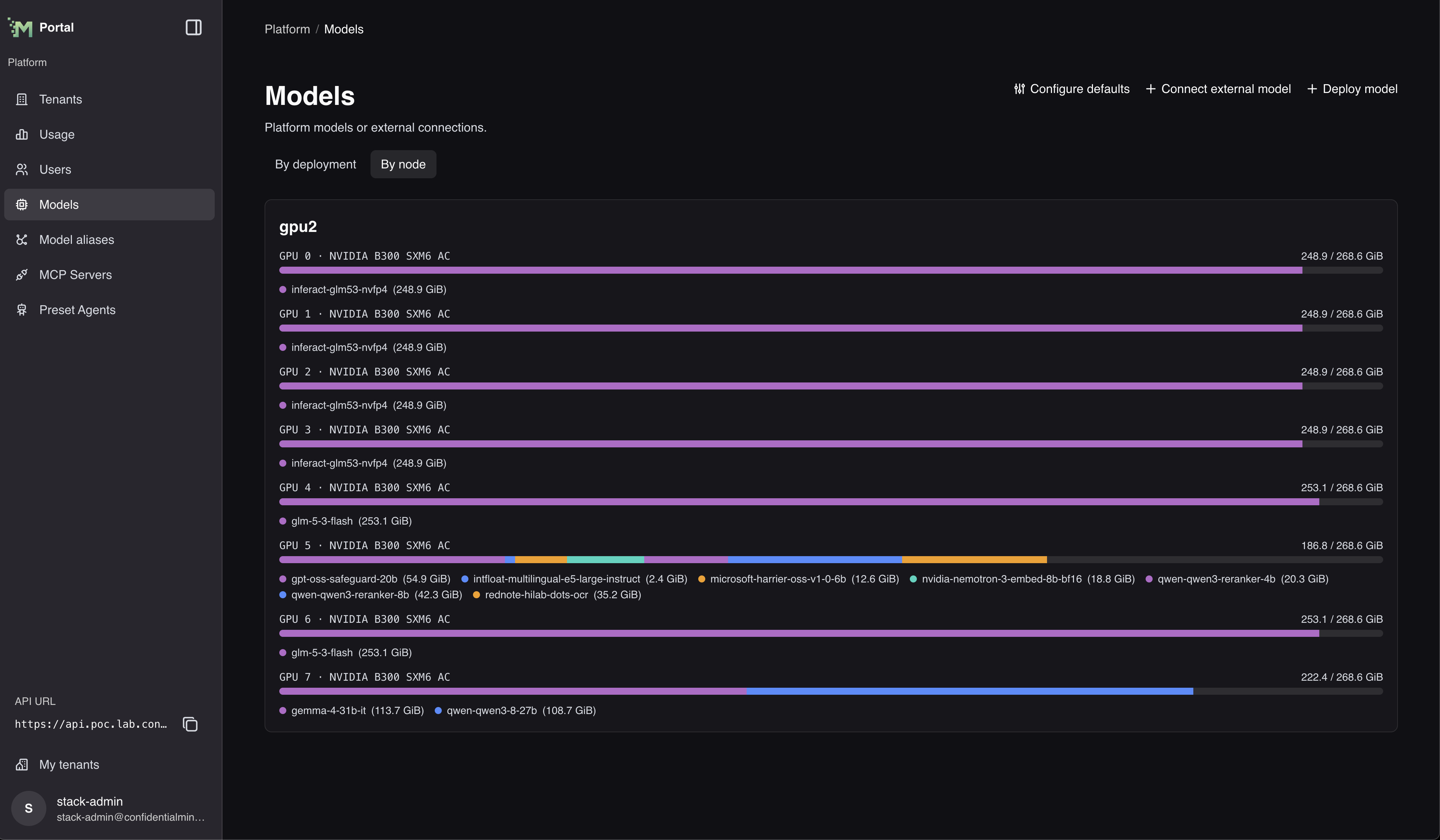
Select Configure defaults on the platform Models page to choose platform-wide defaults: the models new RAG endpoints start with, and the transcription model Chat uses for audio attachments.
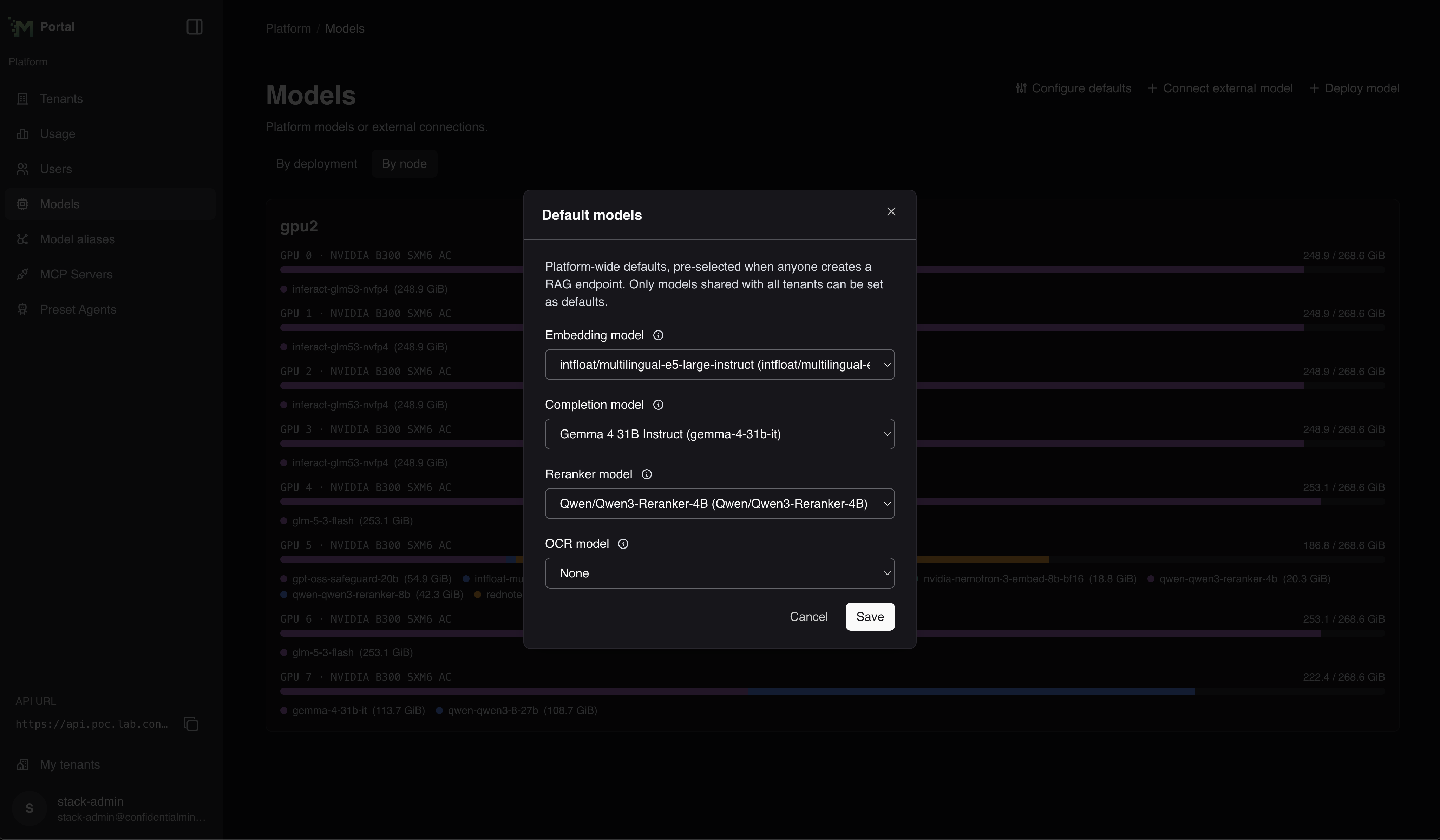 The dialog is titled Default models. Choose an Embedding model, Completion model, Reranker model, OCR model, and Transcription model, then select Save. Only models that are shared with all tenants can be chosen, so a model that is not shared does not appear in these lists.
Troubleshooting
Common Issues
-
Insufficient VRAM:
- Stop an unused operator-managed model deployment to release its GPUs without deleting its configuration
- Reduce model size or precision
- Increase tensor parallelism
- Move other models to different GPUs
-
Deployment Failures:
- Check GPU compatibility with model requirements
- Ensure selected node has sufficient resources
-
Long Startup or Repeated Restarts:
- Large custom models can take up to approximately 90 minutes to load before the startup health check times out
- Check the model server logs to confirm that weight or shard loading is progressing
- If the logs start over after approximately 90 minutes, verify the model arguments, available resources, and model compatibility
-
Performance Issues:
- Adjust batch size for your workload patterns
- Check for CPU bottlenecks in preprocessing
- Consider GPU bus bandwidth limitations when using multiple GPUs