RAG Storage Quotas
Overview
The RAG Storage Quota system allows administrators to control storage capacity for RAG (Retrieval-Augmented Generation) services through the Stack portal. Manage storage limits at the service level, tenant level, and set defaults for new services.
In the portal, open Manage platform, then Tenants to view tenant storage usage. Select the storage quota button in a tenant's row, enter a Quota, and select Save. Select Remove limit in the same dialog to clear the tenant-wide quota. This requires platform tenant-management permission.
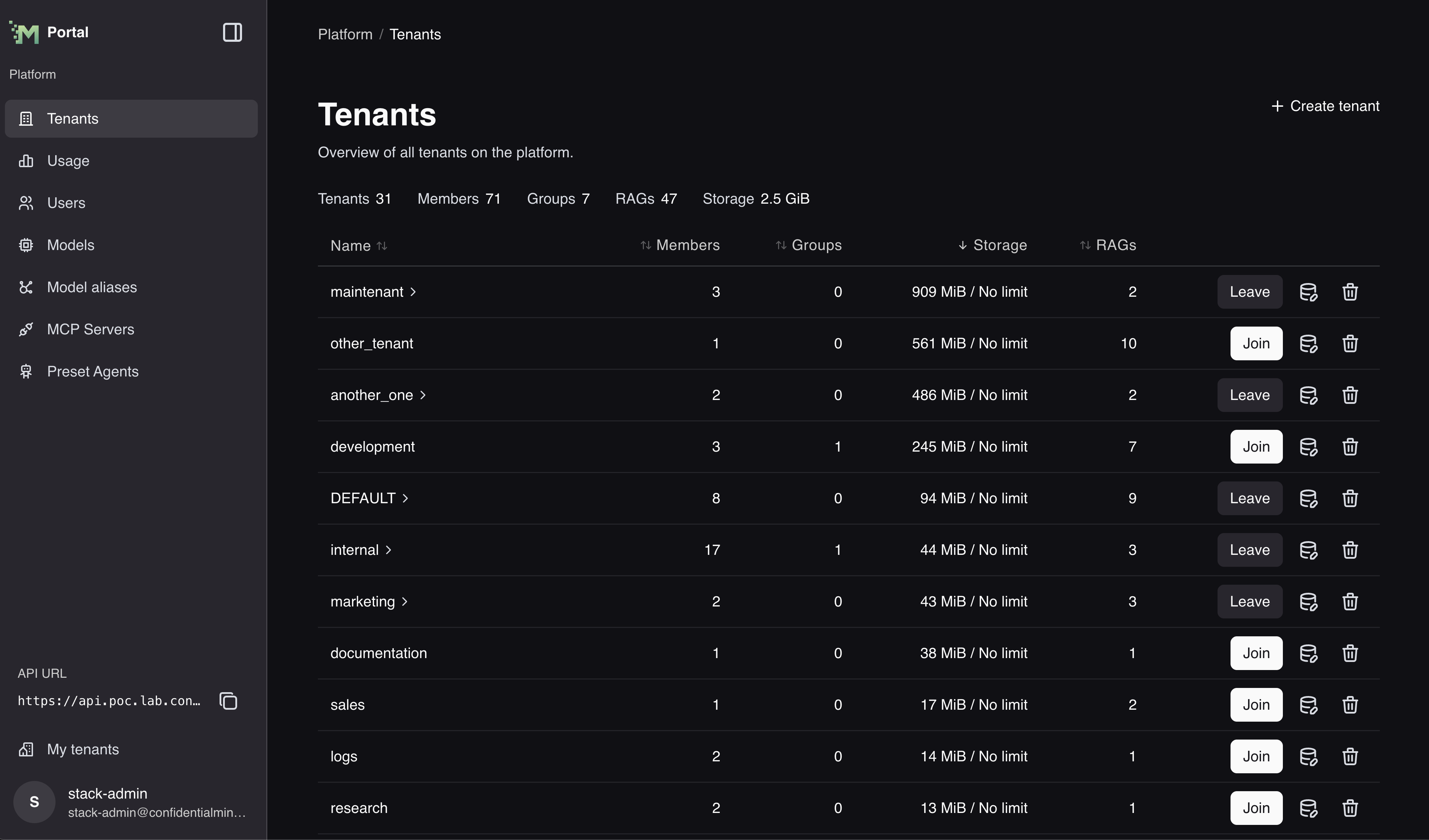
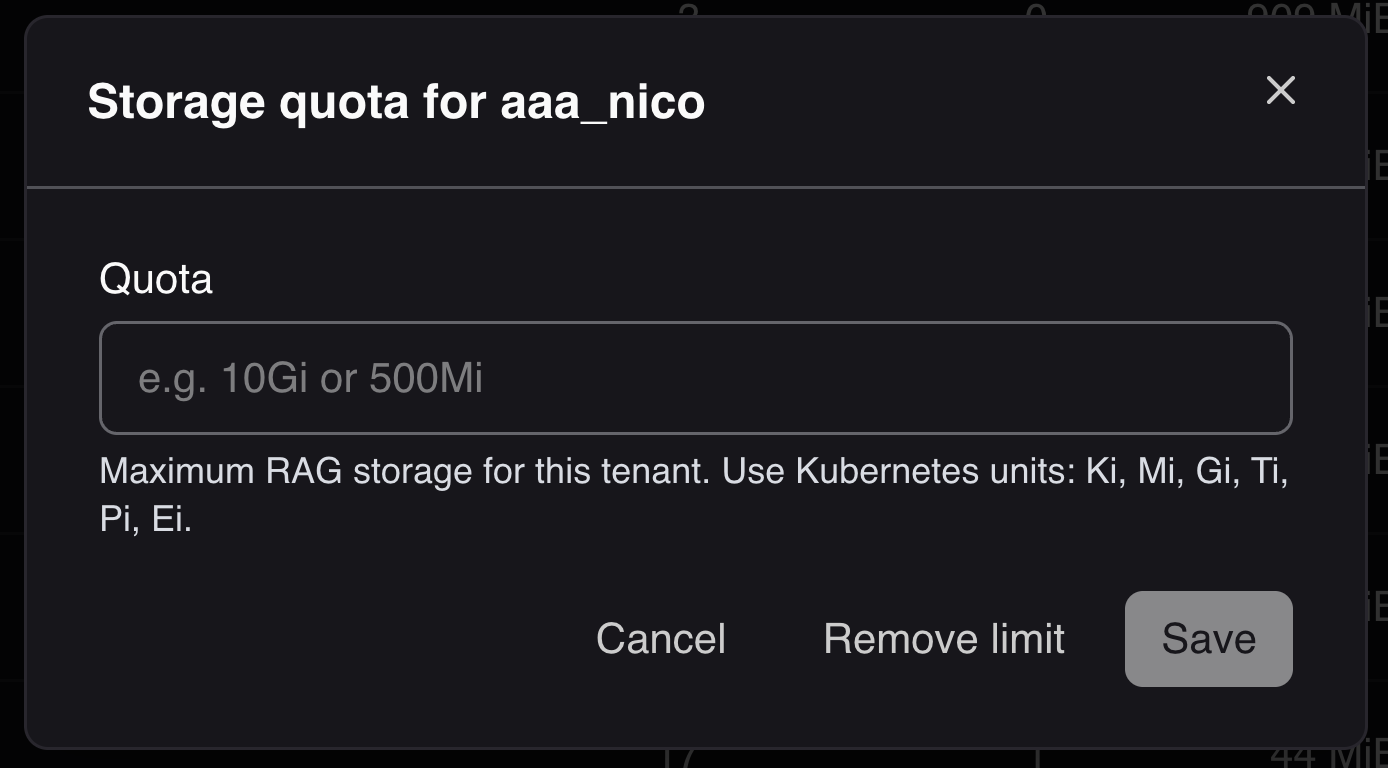
Storage management is available in the portal (Manage platform → Tenants): see how much storage each tenant uses and set a limit for a whole tenant.
Key Concepts
What Gets Limited
Storage quotas control the total database size for RAG services, including:
- Document content: Raw text and file data
- Vector embeddings: High-dimensional vectors for semantic search (HNSW indexes)
- Metadata: Document and chunk metadata stored as JSON
- Indexes: All database indexes including primary keys and vector indexes
Limit Types
- Service Quota: Limit for a specific RAG service instance
- Tenant Quota: Aggregate limit across all RAG services in a tenant
- Default Quota: Applied automatically to new RAG services in a tenant
How Limits Work
- NULL/Empty: No limit (unlimited storage)
- Zero (0): Storage disabled (all uploads rejected)
- Positive Numbers: Maximum allowed storage in bytes
Quota Format: Kubernetes quantity strings (e.g., "10G", "500Mi", "1Ti")
Storage limits are Kubernetes quantity strings (e.g. "10G", "500Mi", "1Ti").
Enforcement
Storage quotas are enforced at upload time:
- Uploads are allowed until usage reaches ≥95% quota
- Large file uploads are denied if estimated to exceed quota
- Both service and tenant quotas apply; strictest limit enforced
- Usage tracked after operations complete
Quota Hierarchy
When both service and tenant quotas are configured:
- Service quota checked first
- Tenant quota checked second
- Strictest limit applies (minimum of both)
Examples:
| Service Quota | Tenant Quota | Effective Limit |
|---|---|---|
| 10GB | 100GB | 10GB (service limit) |
| NULL | 100GB | 100GB (tenant limit) |
| 10GB | NULL | 10GB (service limit) |
| NULL | NULL | Unlimited |
| 0 | 100GB | 0 (disabled) |