Configuring a RAG
A RAG deployment grounds model answers in your own documents. Once it's deployed, you configure it from its page in the portal — which models it uses and who can access it. Its vector database is provisioned and managed for you; there's nothing to set up there.
Editors and Owners of a tenant create its RAG endpoints, and whoever creates one administers it. See Roles in a tenant.
See RAG for document and retrieval APIs, and API Keys for authentication.
Description
Agents and models read the RAG's description to decide when to search this knowledge base, so it should name the domain it covers and what is in it — for example: "Scientific knowledge base containing eleven papers on efficient large language model inference." Set it when you create the RAG, or later with Edit description at the top of the RAG's page.
Models
Under Settings, choose the models the RAG uses. Each can be any model on the platform — in-cluster or external:
- Embedding model — required; turns documents and queries into vectors.
- Generation model is only required for contextual indexing, where it generates document summaries.
- Reranker model — optional; reorders retrieved chunks for relevance.
- OCR model — optional; reads text from images and scanned PDFs. Only models explicitly typed OCR can be selected (currently dots.OCR).
Contextual indexing is enabled by embedder.params.contextual_embeddings: true in the RAG config file. To use it, select a config from the RAG image in the advanced RAG config file field when creating a RAG. Enter the filename without config/ or .yaml. In the deployment API, set configFilePath to the full path, such as config/harrier_oss_structural_config.yaml.
The form allows saving without a generation model, but a contextual indexing config then prevents the RAG from becoming ready. Initialization fails with Contextual embeddings require a generation model. Select a generation model to use that config.
A model only works while it is running. A stopped model is still listed so you can see it exists, but it is marked (stopped) and cannot be selected — start it from the Models page first, then pick it here. Stopped models are hidden there until you select Show stopped models above the list. External models are always available.
When you create a RAG, each model is filled in from the platform default. A field is left empty instead when its platform default is no longer usable for that role — the model was deleted, is not available to you, is not of the role's type (only the OCR model field checks the type), or is stopped — and you can choose a model yourself. If every model listed for a required role is stopped, the form says so, and Create stays disabled until an embedding model is running.
On an existing RAG, a model that has stopped since it was configured stays selected but is marked (stopped). Start it again from the Models page, since a stopped model fails queries that reach it. For the generation, reranker and OCR roles you can pick another model instead.
The Embedding model cannot be changed after the RAG is created. Stored documents are vectors made by that model, and a different model cannot read them. Saving a different embedding model fails and nothing is changed. To use another embedding model, create a new RAG and add the documents to it.
When the embedding model runs on the platform, the RAG copies its tokenizer files during startup. The tokenizer determines how text is split into tokens. If the tokenizer is unavailable, the RAG retries with a five-second delay until the copy succeeds. It cannot become ready or answer queries while waiting.
If the embedding model is stopped, a RAG that restarts after a settings change or an automatic update does not become ready. Start the embedding model from the Models page, and the RAG finishes starting on its own. Invalid or damaged tokenizer files cause startup to fail instead of retrying. External embedding models do not need this copy.
Every RAG also sends one short test request to its embedding model during startup to learn the size of its vectors. If the model does not answer, the RAG retries every five seconds and cannot become ready or answer queries until it does. This applies to external models too, so check that an external embedding model is reachable if a RAG does not finish starting.
A RAG that has not become ready within ten minutes shows Error instead of Deploying. A container that keeps crashing shows Error sooner. The RAG's page gives the reason, such as a pod that never reported ready or a container that keeps restarting. The RAG keeps retrying. Once the cause is fixed, for example by starting the embedding model again, it becomes Ready on its own without a restart.
If you leave Reranker model empty, the RAG uses its normal search ranking and skips reranking. To rerank retrieved chunks, choose a reranker model and use a reranker retrieval config. Plain cosine and BM25 hybrid configs do not rerank, even when a model is selected.
A selected model is deleted
A RAG checks that every model it has selected still exists on the platform. A stopped model still exists, so stopping one does not trigger this check.
If the Embedding model is deleted, the RAG shows Error, even if it was answering searches until then. Without that model, it can neither index nor search documents.
If the Generation model, Reranker model or OCR model is deleted, the RAG shows Degraded and keeps answering searches. Requests that need the deleted model fail.
The RAG's page names the missing role and the API model id it points at. The text calls the OCR model the vision model.
To recover, deploy a model with the same API model id, or connect an external model with it. The RAG returns to its normal state on its own. For the embedding model it has to be the same model as before, see The embedding model is fixed once documents are indexed.
Behavior
Also under Settings, tune how the RAG handles documents and answers searches. Each setting shows Enabled or Disabled beside its name. Select Edit to change them. They come in two groups.
Ingestion
- Auto-delete files without groups requires a group when you add a file or content. A file is deleted when it loses its last group.
- PDF OCR by default reads PDFs with OCR unless the request asks for something else. Requires an OCR model.
Search
- Require group for retrieval returns no results when the search does not name a group.
- Smart temporal search by default reads dates and time references in the search, such as "latest policy" or "what changed last month", and prefers the most time-relevant documents, unless the request asks for something else.
The defaults suit most deployments. Adjust these only for specific needs.
Saving restarts the endpoint. The new settings apply after the restart, so wait until the endpoint is ready before you send requests.
Reranking defaults to 16 candidate chunks and batches of 16. These values can be overridden for a single query through the Context API.
Some endpoints show These settings are unavailable until this endpoint's configuration has been migrated. in place of the switches. Their description and any editable model selections can still be changed as usual. Configuration migration runs automatically during a platform upgrade. If this message remains after the upgrade, ask your platform operator to check the migration job. Restarting the endpoint does not run the migration.
Data sources
A data source connects the RAG to a store where you already keep your files. The RAG reads the files, indexes them, and reads the store again later to pick up changes.
Portal
Open the RAG's Files tab and select Add source.
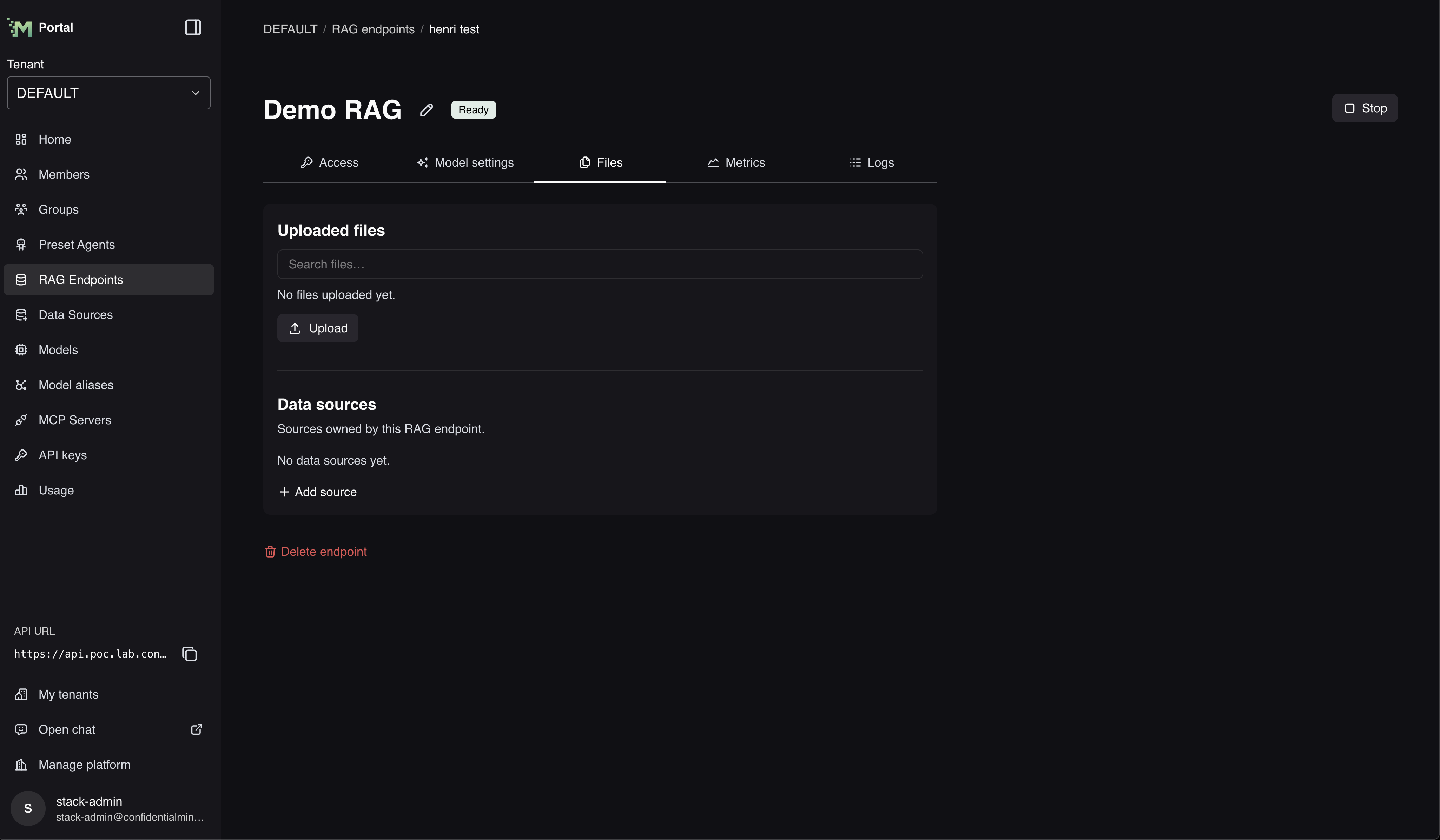
Choose the Provider first — the fields under it change with your choice:
- S3 — Endpoint, Region, Bucket, Access key ID, and Secret access key.
- Azure Blob Storage — Connection string and Container. The account endpoint is taken from the connection string, so you do not type it.
- SMB file share — Server, Share, Port, Require SMB encryption, Username, Password, and Domain. The domain is optional; leave it blank for an account that exists only on the file server.
Every provider also asks for:
- Name — how the source is listed in the portal.
- Prefix — optional. Read only the files whose name starts with this text. Leave it empty to read the whole bucket, container, or share.
- Sync interval — how often the RAG reads the store again. Choose Manual, 10 minutes, 1 hour, 1 day, 7 days, or a custom interval of at least 10 minutes.
Once the source is added, select it in the list to see its settings. An S3 source shows its Endpoint and Bucket; an Azure source shows its Account endpoint and Container.
Access
Portal
Open the RAG's Users tab. It has two sections:
- Administrators — edit, start, stop and delete the endpoint, and manage its data sources.
- Viewers — read the endpoint's configuration and data sources, without changing anything.
Select Add administrator or Add viewer, search by name or email, tick the users and groups you want, then select Add. Each row has a remove button. See Access to one resource for the full steps.
The RAG's Access tab holds its API URL and the calling examples.
Updates
A RAG keeps itself on the platform's recommended version automatically — nothing to do to stay current.
A RAG that uses a platform embedding model splits text with that model's own tokenizer. When a RAG updates to a version that uses this tokenizer, previously indexed documents keep their existing chunks. The RAG does not index them again automatically, so new documents may be split differently. Upload a document again if you want it split with the model's tokenizer.
The embedding model is fixed once documents are indexed
The first time a RAG starts, it records which embedding model it uses and the size of its vectors. Every later start checks that record.
If a different model is put behind the same model name, or the model starts returning vectors of a different size, the RAG cannot become ready or answer queries. A running RAG is not affected until it restarts. Put the original embedding model back to let the RAG start again. To move to another embedding model, create a new RAG and add the documents to it.