Tenant Deployment Limits
Overview
The Tenant Deployment Limits system allows administrators to control service deployment capacity across tenants. It supports default limits for personal tenants, custom per-tenant configurations, and granular control by service type.
Key Concepts
What Gets Limited
Deployment limits can be configured for all service types in the platform.
Note: While model service limits can be configured, models are currently managed separately from tenant isolation, so limits do not apply to them in the same way as other service types.
Limit Types
- Default Personal Limits: Apply to all personal tenants unless custom limits are enabled
- Custom Personal Limits: Override defaults for specific personal tenants
- Organization Limits: Apply to organization tenants
How Limits Work
- Empty/Null: No limit (unlimited deployments)
- Zero (0): Deployment of that service type is disabled
- Positive Numbers: Maximum allowed deployments for that service type
Enforcement
Limits control how many services of each type can be deployed in a tenant. When a deployment would exceed the limit, it's blocked. Limits apply to all tenant members and admins equally.
How It Works
Architecture
Data Storage: Limits are stored in PostgreSQL with tenant-level granularity
Personal Tenant Behavior:
- By default, personal tenants inherit limits from the DEFAULT configuration
- Personal tenants can enable custom limits to override defaults via the
useDefaultLimitsflag - When
useDefaultLimits=true, the tenant inherits DEFAULT limits - When
useDefaultLimits=false, the tenant uses its own custom limits
API Endpoints:
GET /v1/admin/manager/tenants/:tenantId/limits- Fetch limits for a tenantPOST /v1/admin/manager/tenants/:tenantId/limits- Update limits for a tenant
Using the Platform UI
Accessing Tenant Limits
System Administrators Only:
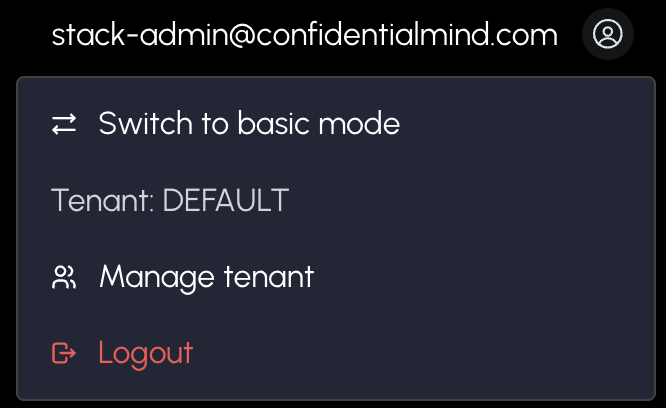
- Navigate to Tenant Admin Panel
- Click Manage Default Personal Limits button to configure defaults
OR
- Find a specific tenant in the table
- Click Manage Limits at the gear icon for that tenant
Configuring Default Personal Limits
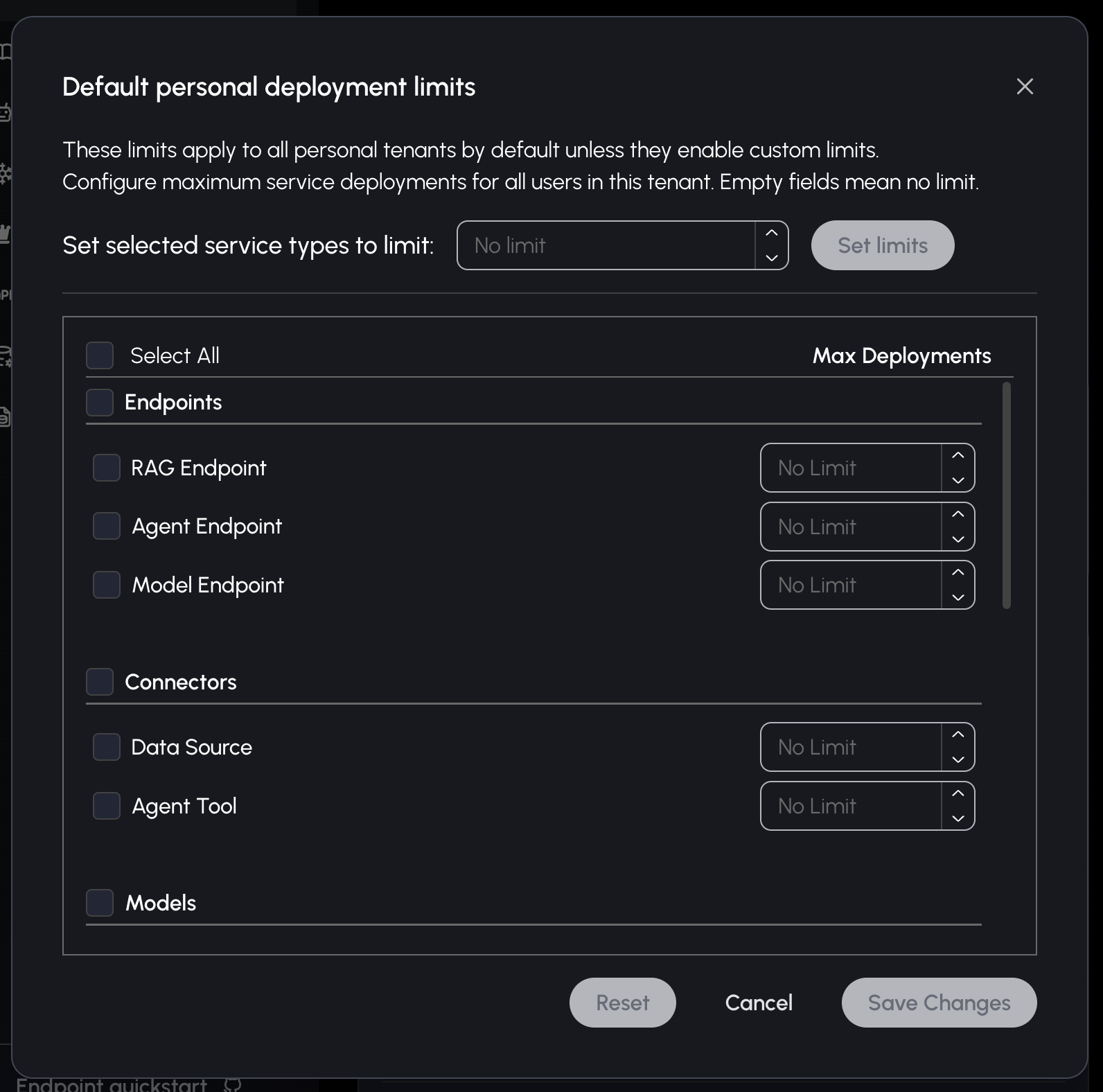
System administrators can set default limits that apply to all personal tenants:
- Click Manage Default Personal Limits button in Tenant Admin Panel
- Select service types using checkboxes
- Set limit values (empty = no limit, 0 = disabled)
- Use "Set selected service types to limit" for bulk updates
- Click Save Changes
What Happens:
- New personal tenants automatically inherit these limits
- Existing personal tenants using defaults will see updated limits
- Personal tenants with custom limits remain unaffected
Configuring Tenant-Specific Limits
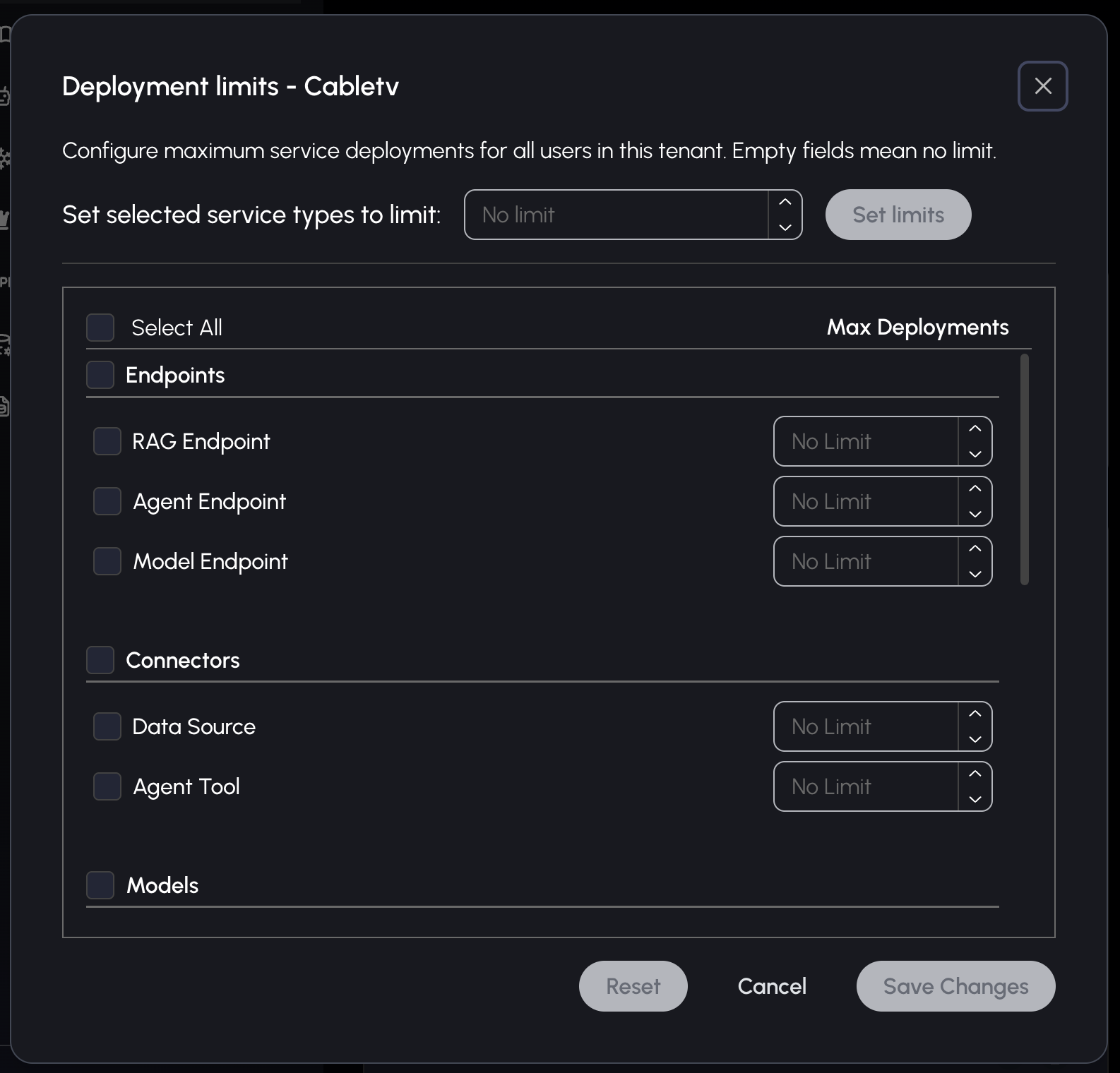
- Click Manage Limits at the gear icon for the desired tenant
- Configure limits by service type
- Click Save Changes
Personal Tenants:
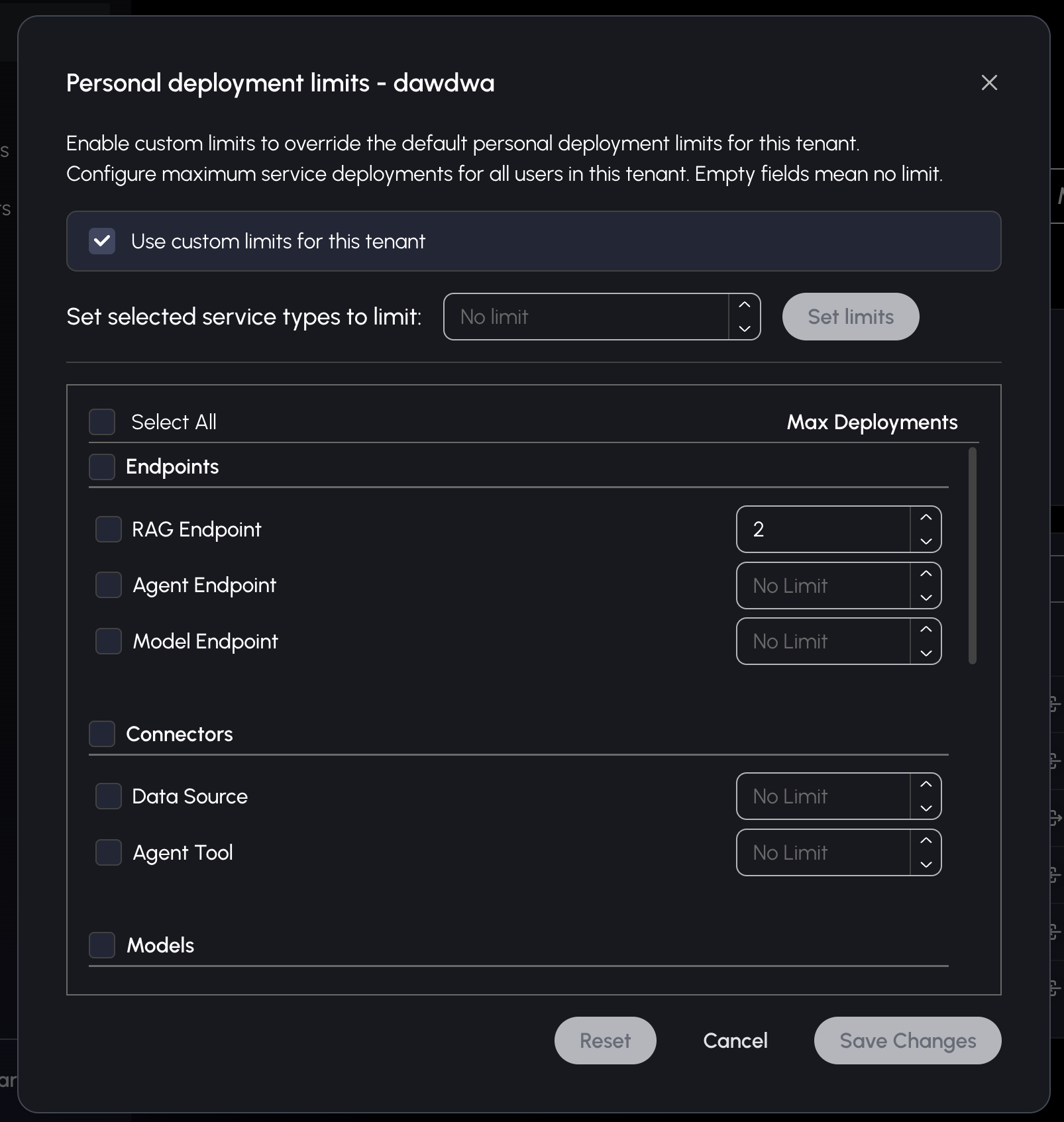
Personal tenants have an additional "Use custom limits for this tenant" checkbox:
- When unchecked: Tenant uses DEFAULT personal limits (inputs disabled)
- When checked: Tenant uses its own custom limits (inputs enabled)
Bulk Updates
For efficient configuration:
- Use checkboxes to select multiple services:
- Individual services
- Category headers
- Select all option
- Enter value in "Set selected service types to limit" field
- Click apply to set the same limit for all selected services
API Reference
Authentication & Authorization
All endpoints require authentication:
- GET endpoint: Manager admin permissions
- POST endpoint: Manager admin AND tenant admin permissions
1. Get Tenant Limits Endpoint
GET /v1/admin/manager/tenants/:tenantId/limits
Retrieve deployment limits for a specific tenant.
Path Parameters:
tenantId(required): Tenant ID or "DEFAULT" for default personal limits
Response:
[
  {
    "type": "endpoint",
    "limit": 5
  },
  {
    "type": "model",
    "limit": null
  },
  {
    "type": "bucket",
    "limit": 0
  }
]
Field Descriptions:
type: Service type identifierlimit: Deployment limit for the tenantnull: No limit (unlimited)0: Deployments disabled
2. Update Tenant Limits Endpoint
POST /v1/admin/manager/tenants/:tenantId/limits
Update deployment limits for a specific tenant.
Path Parameters:
tenantId(required): Tenant ID or "DEFAULT" for default personal limits
Request Body:
{
  "limits": [
    {
      "type": "endpoint",
      "limit": 5
    },
    {
      "type": "model",
      "limit": null
    }
  ],
  "useDefaultLimits": false
}
Field Descriptions:
limits(required): Array of limit objects withtypeandlimitfieldsuseDefaultLimits(optional): Only for personal tenants (not DEFAULT)true: Tenant will use DEFAULT limitsfalse: Tenant will use custom limitsundefined: No change to current setting
Note: Only the service types included in the request are updated. Other service types retain their existing limits. To reset all limits, include all service types in the request with the desired values.
Response:
{
  "success": true
}
Usage Examples
Get default personal limits:
GET /v1/admin/manager/tenants/DEFAULT/limits
Get limits for a specific tenant:
GET /v1/admin/manager/tenants/{tenant_id}/limits
Update default personal limits:
POST /v1/admin/manager/tenants/DEFAULT/limits
{
  "limits": [
    { "type": "endpoint", "limit": 3 },
    { "type": "model", "limit": 0 },
    { "type": "bucket", "limit": null }
  ]
}
Enable custom limits for personal tenant:
POST /v1/admin/manager/tenants/{tenant_id}/limits
{
  "limits": [
    { "type": "endpoint", "limit": 10 }
  ],
  "useDefaultLimits": false
}
Revert personal tenant to default limits:
POST /v1/admin/manager/tenants/{tenant_id}/limits
{
  "limits": [],
  "useDefaultLimits": true
}
Error Responses
Standard HTTP error codes:
- 400 Bad Request: Missing tenantId or invalid request format
- 403 Forbidden: Insufficient permissions
- 500 Internal Server Error: Server processing error
Data Types
TenantLimit
interface TenantLimit {
  type: ServiceType;
  tenant_id?: string | null;
  limit: number | null;
}
ServiceType
enum ServiceType {
  endpoint = "endpoint",
  agent_endpoint = "agent_endpoint",
  model_endpoint = "model_endpoint",
  data_source = "data_source",
  agent_tool = "agent_tool",
  model = "model",
  external_llm = "external_llm",
  bucket = "bucket",
  volume = "volume",
  database = "database",
  external_database = "external_database",
  api = "api",
  frontend = "frontend",
  playground = "playground"
}
PostTenantLimitsRequest
interface PostTenantLimitsRequest {
  limits: TenantLimit[];
  useDefaultLimits?: boolean;
}